
Notices
A notice board with scheduling, drafts and a pin for important notices.
Schools and colleges
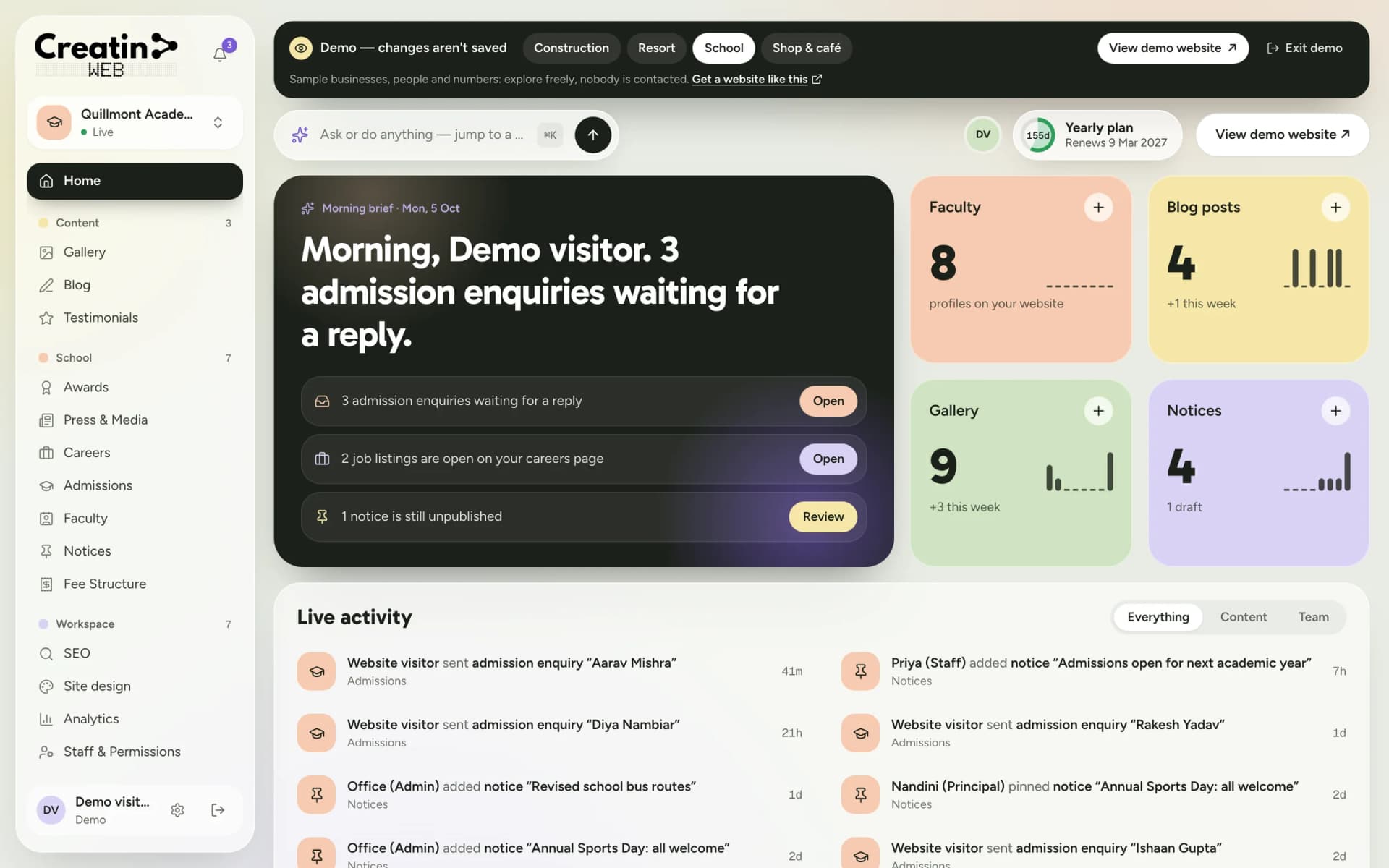
For a school website in India, design is the easy part. Keeping it current is what matters: parents open it to check a notice, the fees or whether admissions are open, and an out-of-date answer costs trust.
Creatin Web builds your school's website and gives the office a dashboard and an Android app to post notices, answer admission enquiries and update the fee table without waiting for anyone.

The problem
Circulars go out on paper and in parents' groups. The website, where a new parent looks first, still shows last term.
Parents call to ask which grades have seats, what the fees are and when to visit, because the website doesn't say.
It is the vendor, or a teacher who set it up years ago. When they are busy, nothing changes.
A message that says "please call me" doesn't tell the office which grade, which child or which year.
The solution
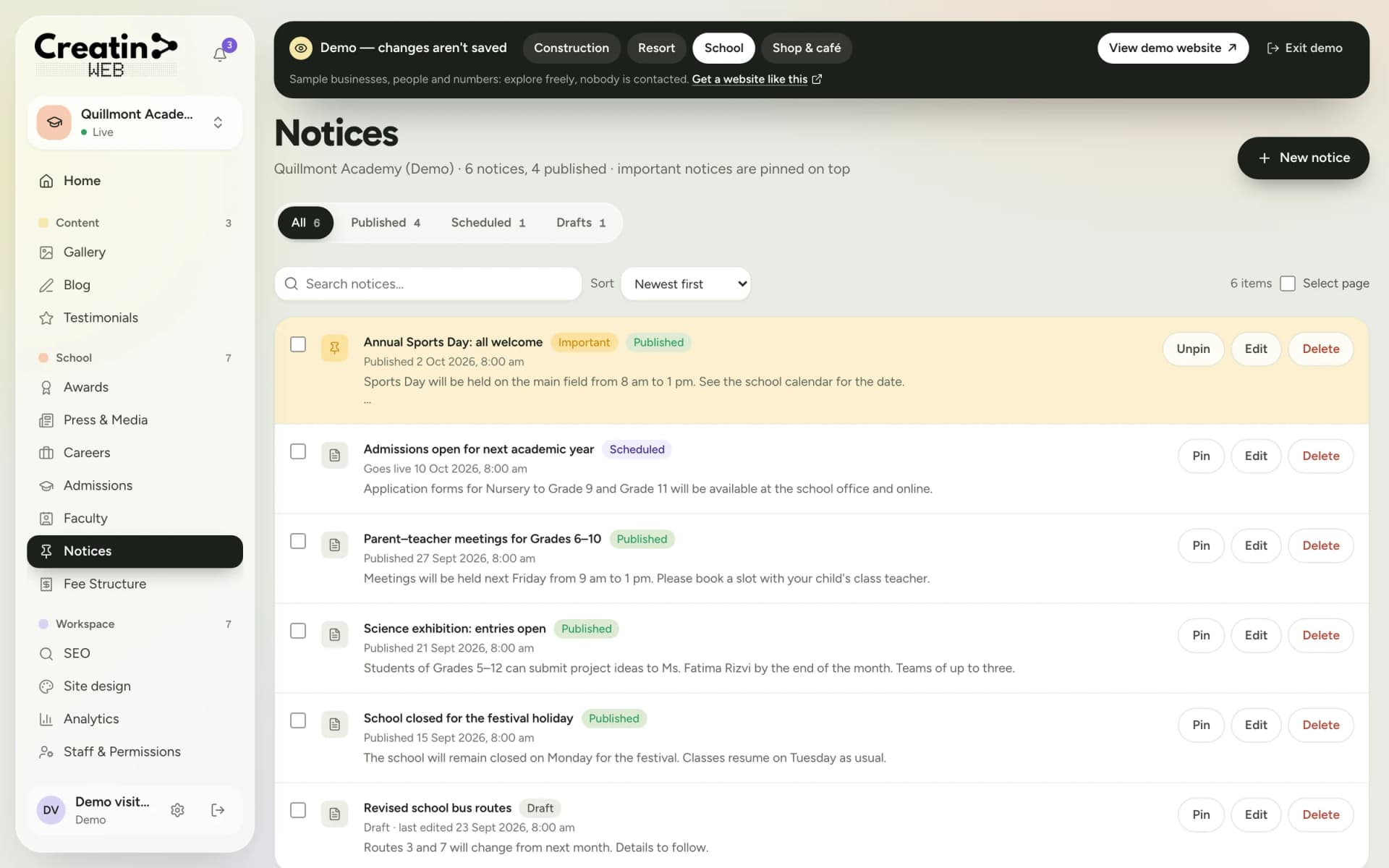
Write a notice, publish it now or schedule it for a date, and pin the important one to the top. Drafts stay private until you are ready.
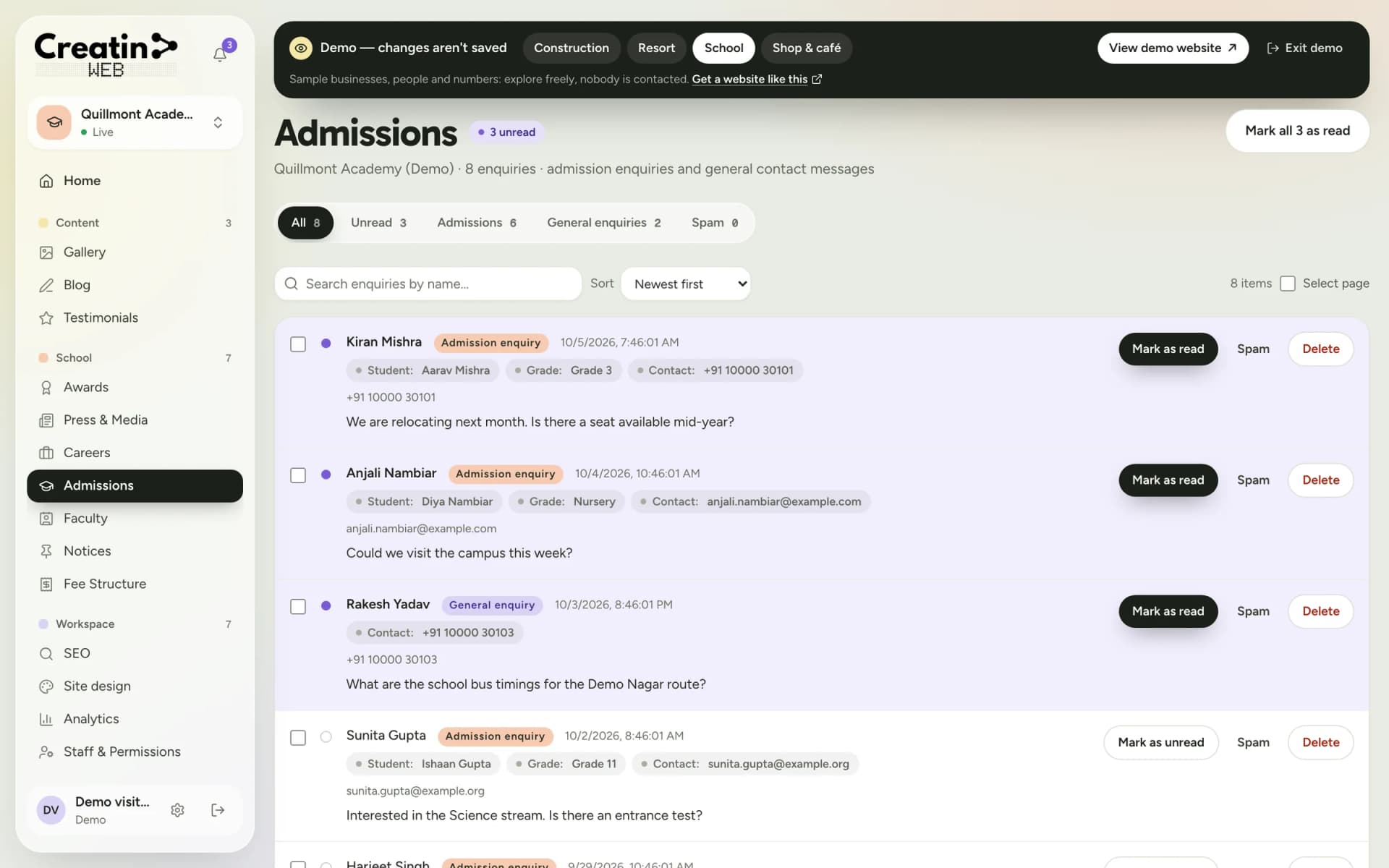
The admissions form asks for the student's name, the grade and the parent's contact. Each enquiry reaches the office inbox with a notification.
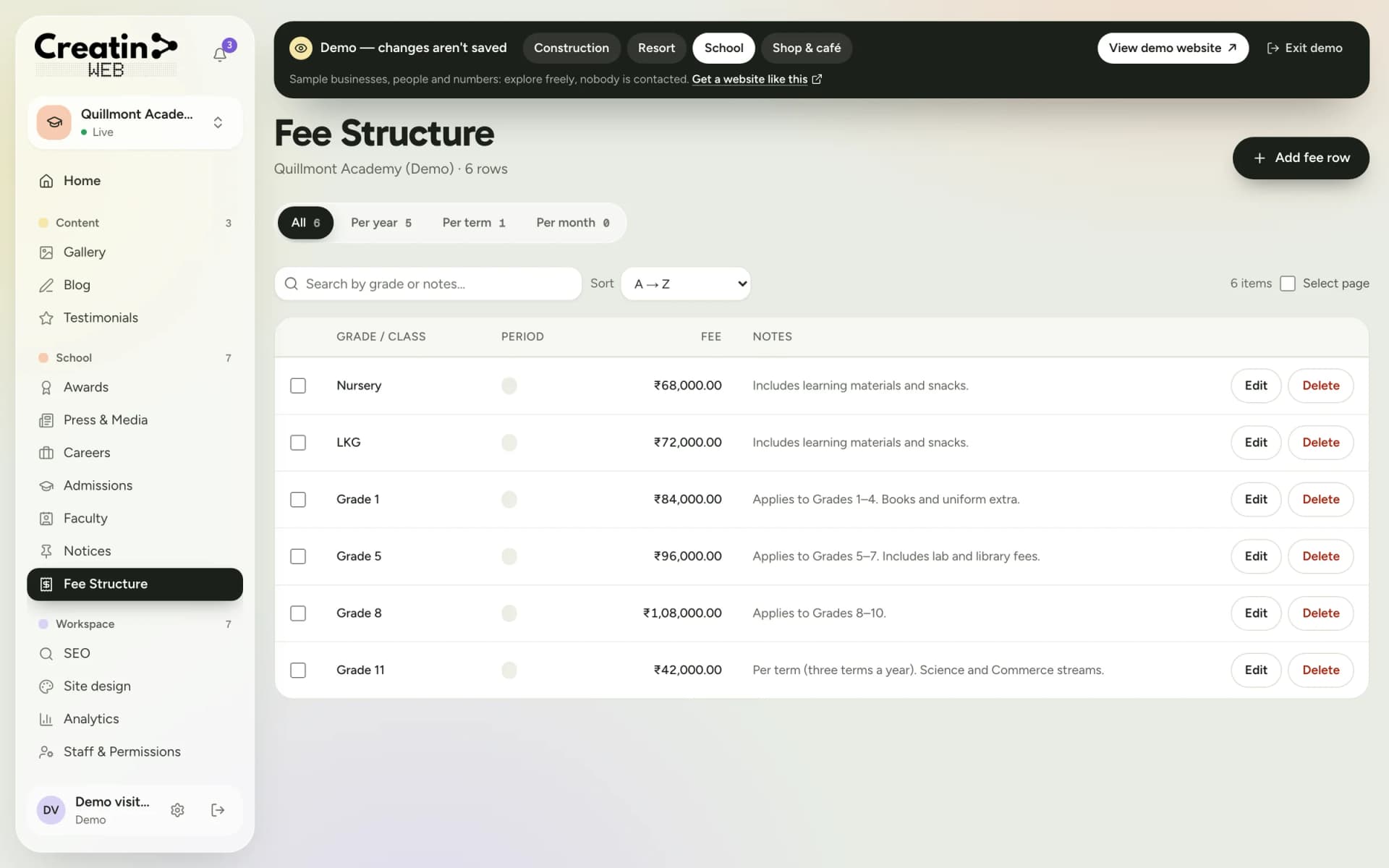
Grade, period and amount in one clear table, edited row by row when the fees change.
The office posts notices, the admissions desk sees enquiries, the principal sees everything. You decide, section by section.
Dedicated tools
Each one is a section of your dashboard and a part of your public website.
A notice board with scheduling, drafts and a pin for important notices.
An admissions enquiry form on your site and an inbox for the requests.
A published fee table by grade and period.
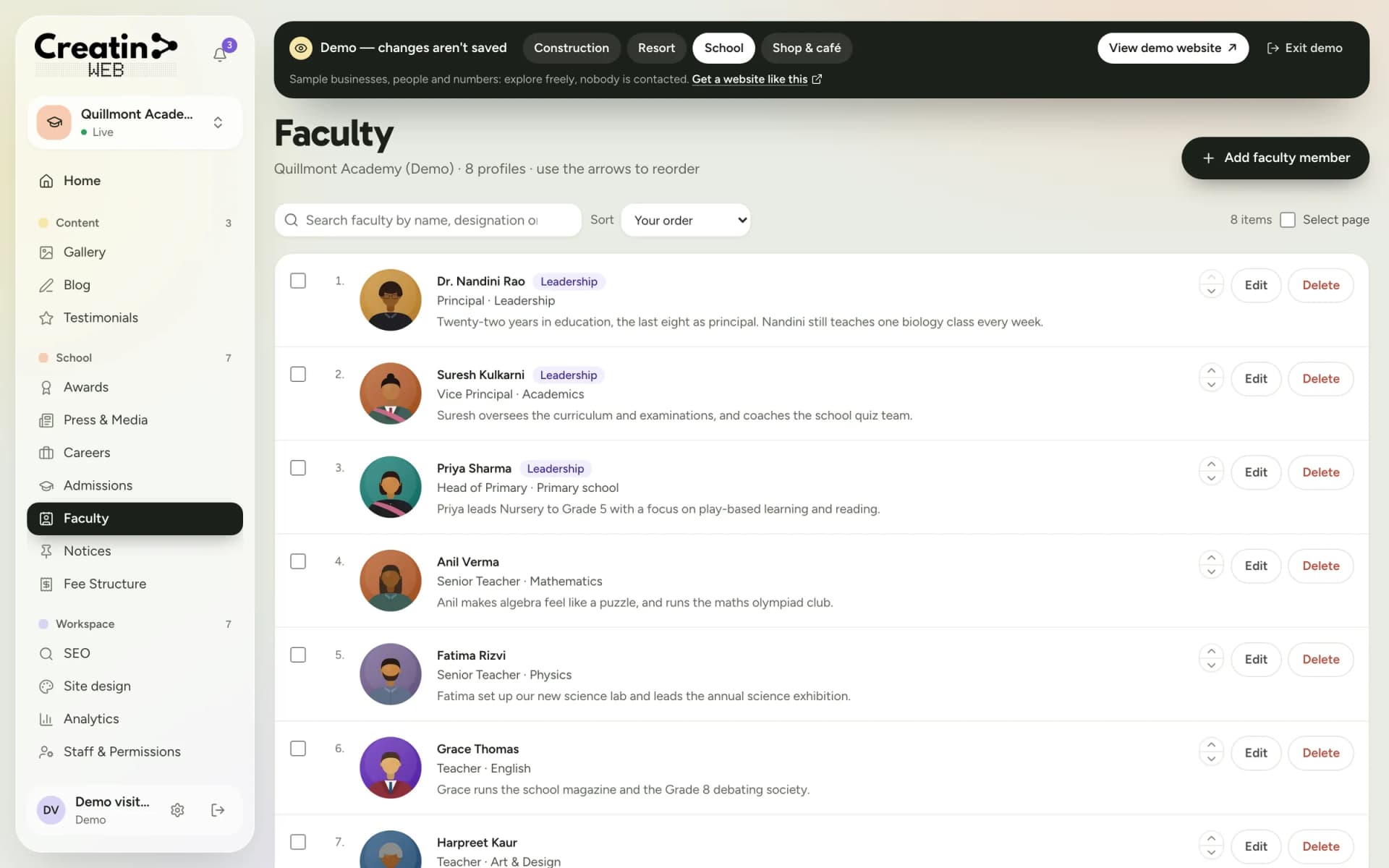
Teacher profiles with photo and designation, and a leadership page.
Achievements, coverage and teaching vacancies with apply links.
Photos of school life, articles from the school, and parents' words.
Creatin Web is a website, not a school ERP. It does not handle attendance, marks, timetables or online fee payment. The admissions form collects an enquiry; the admission itself happens at your office.
See it
Real screens of the dashboard, filled with sample data. The business in them is not a real one.
Questions
Yes. Every staff member has their own sign-in and you tick the sections they may use. The office can be given Notices only, and the admissions desk Admissions only.
Yes. A notice can be saved as a draft, published immediately or scheduled for a date and time. Important notices can be pinned to the top of the board.
No. The admissions form collects an enquiry with the student's name, the grade and the parent's contact, so your office can follow up. It does not process applications or collect fees.
Yes. Whatever you type in the dashboard, including notices, articles and page text, can be in Kannada, English or another Indian language. If you want the whole site, menus included, in Kannada, tell us during the consultation.
Tell us during the consultation which pages or documents your board requires, and we include them in the scope of your quotation.
Keep reading
Free consultation
No obligation and no sales script. We listen first, then put a price in writing.